
Table of Contents
- Step 1: Type in your desired email address and password to register.
- Step 2: After successful verification of Email ID, a “Verify Email OTP” window prompt will pop-up. Check your registered email address for the OTP code and type it into the field.
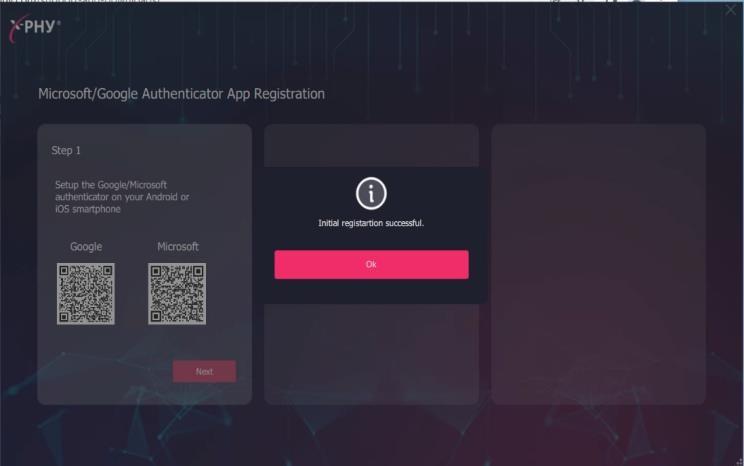
- Step 3: Once the initial registration is completed, click “Ok” to proceed.
Step 1: Type in your desired email address and password to register. #
Note: Click on the tooltip for more information about password criteria

Step 2: After successful verification of Email ID, a “Verify Email OTP” window prompt will pop-up. Check your registered email address for the OTP code and type it into the field. #

Step 3: Once the initial registration is completed, click “Ok” to proceed. #