
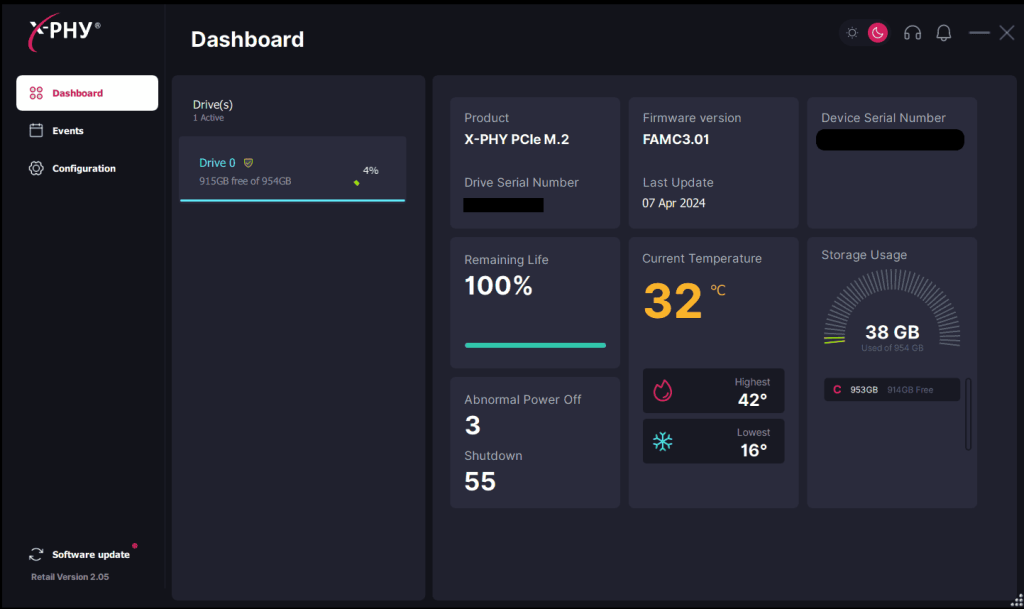
Dashboard #
Dashboard displays general disk information, including number of partitions, free space, used space, product name, serial number, firmware version, and etc.
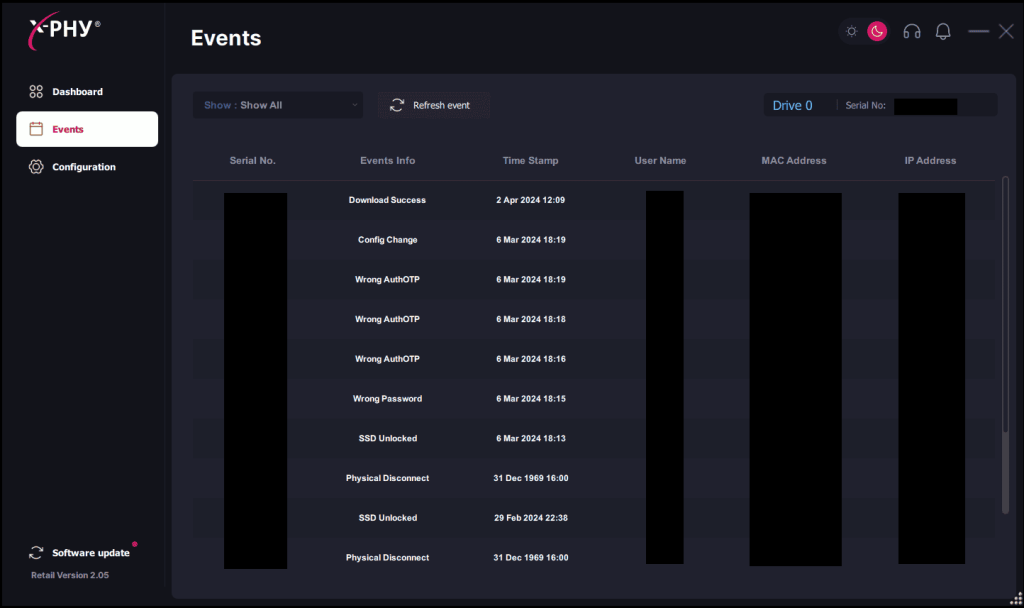
Events #
The event page contains the history of events stored in the firmware of the X-PHY®SSD to serve as an audit trail. The event log table contains information such as the Serial Number, Event Info, Time Stamp, Username, MAC address and IP Address.
Configuration #
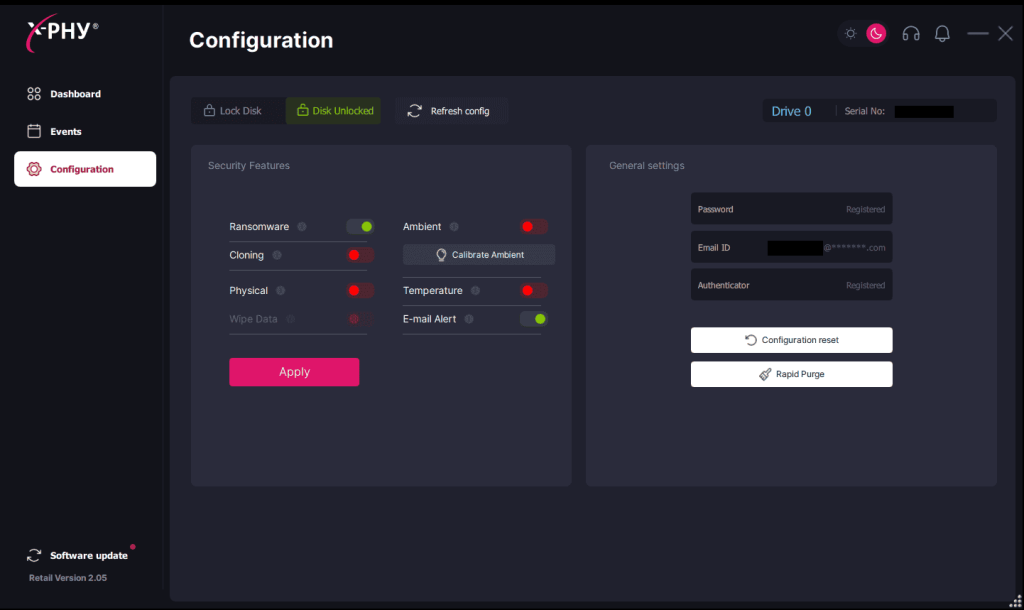
The configuration page has two sections: Security features and General settings.
Security Features #
It is recommended to turn on the main security features in this section to ensure that the device is totally protected.
The main security features include ransomware, cloning, temperature, physical, ambient, email alert.
Ransomware – Prevents ransomware attacks by locking down the drive.
Cloning – Prevents cloning attacks by locking down the drive.
Temperature – Prevents temperature attacks by locking down the drive.
Physical – SSD removal protection.
Ambient – CPU ambient/cabinet open protection.
Email Alert – Email notification for all events.
Wipe Data – The data on the drive will be completely erased if a physical disconnect is detected.

Important Note: Every time a Security Feature is changed, you will need to type in your password and six digit OTP code.
General Settings #
Password, registered email, and authenticator can be changed from this section.
Configuration Reset – This button can be used to reset all settings. Configuration Reset is similar to a factory reset. After activating this feature, the user will be required to go through the entire registration process once again.
Rapid Purge – This button can be used to erase all data including the operating system on the drive at the physical block layer.
 USE WITH CAUTION
Important Note: Every time a setting in General Settings is changed, you will need to type in your password and six digit OTP code.